
What is Town OS?
Town OS is basically an attempt to turn a regular computer into a self-hosted “home cloud”, which is something like our own private version of services such as Dropbox, a NAS, or even a mini app store.
At its core it is an operating environment that lets us run apps, host data, and manage services locally, with a simple web interface, even if we are not very technical.
The big idea:
We plug in a USB drive and boot Town OS.
It runs entirely in RAM.
Our disks become storage for apps and files.
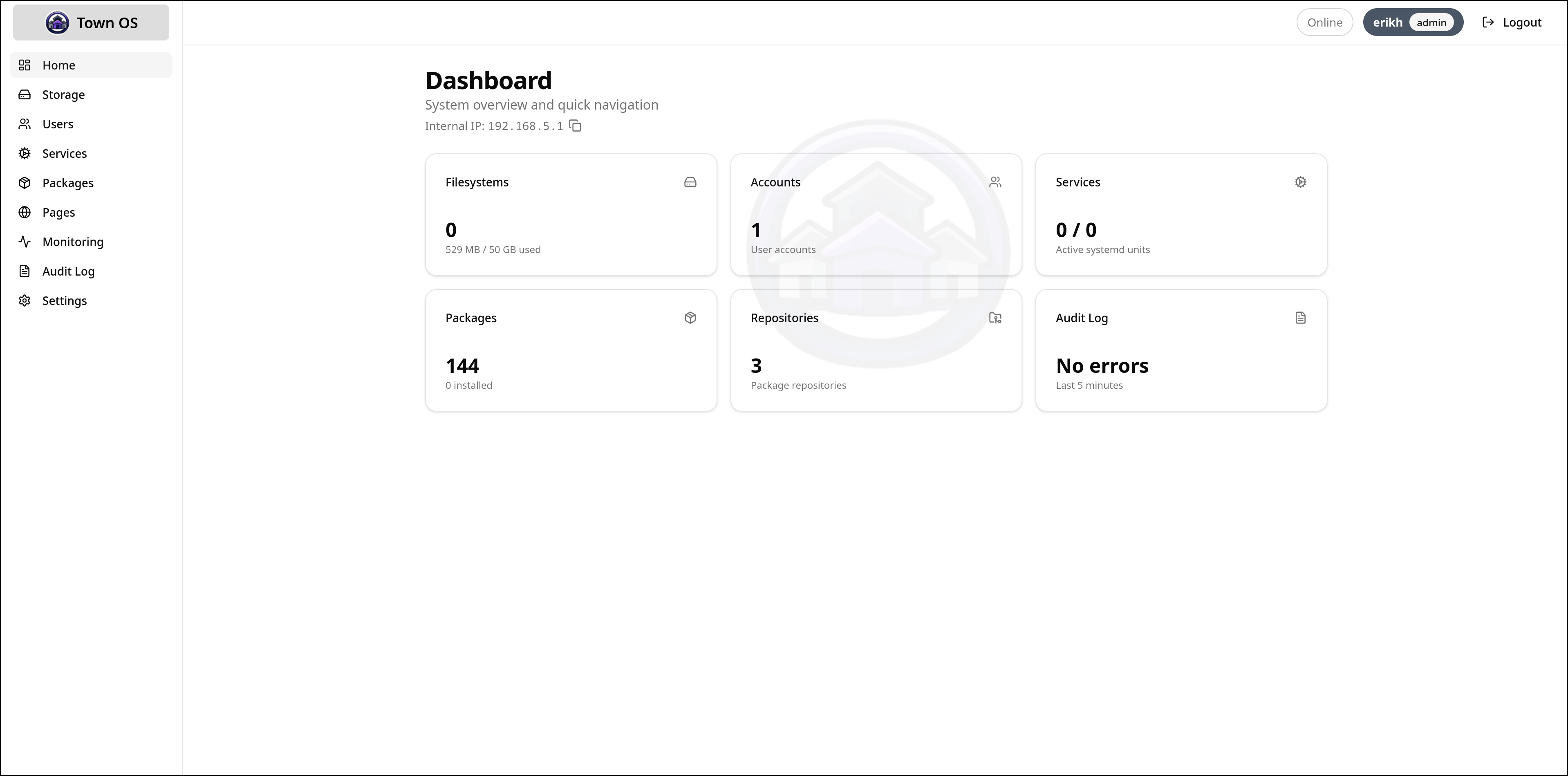
We control everything from a browser dashboard.
So instead of relying on Google Drive, Docker setups, or cloud servers, we run everything by ourselves at home.
_________________________________________
Key Points:
Packages = Apps
Town OS has its own app system.
Apps are defined in YAML files
They can be:
Containers (like Docker apps)
Virtual machines
We install them through the UI.
Examples (use cases):
Media servers
File storage
Personal websites
Dev tools
Storage is built-in
It manages storage automatically:Uses volumes (like Docker volumes)
Can seed data from archives or Git repos
Apply templates
Supports quotas (limit disk usage per app)
Networking is automated
We don’t manually configure ports
It handles:
Port forwarding
UPnP (auto router config)
Can expose apps to your local network or internet
Web UI for everything
Instead of CLI tools we get a dashboard to:
Install apps
Manage services
Monitor system health
Designed for non-experts
Git-powered system
A lot of things are pulled from Git:
App repositories
Static websites (Pages feature)
Updates
It uses an internal Git implementation (not system git)
Pages = host websites easily
We can host sites from:
Uploaded files
Git repos
Container images
So it doubles as a simple web hosting platform.
Built-in monitoring
Comes with:
Prometheus
Grafana
Node Exporter
So we can see CPU, memory, etc., out of the box.
Compared to similar tools:
Docker + Portainer
Town OS bundles everything (storage, networking, UI)
TrueNAS / Unraid
More app-focused, less storage-first
Cloud services
Fully self-hosted, no external dependency
The easiest way to understand it:
Town OS = Our personal cloud plus app store plus server manager in one box.
_________________________________________
System Model
Town OS is essentially a declarative, Git-driven orchestration layer that sits on top of:
Linux kernel primitives
Containers (OCI-compatible)
Virtual machines (likely via KVM/QEMU)
The entire system state is defined as configuration (YAML) + content (Git / archives), and the OS reconciles reality to match that state.
This puts it conceptually closer to:
Kubernetes (desired state reconciliation)
NixOS (declarative system config)
Docker Compose (app definitions)
Package System (Core Abstraction)
A package is the fundamental unit.
Structure (inferred)
A package YAML likely defines:
name: my-app
runtime: container | vm
image: nginx:latest # or VM disk
volumes:
- name: data
size: 10GB
network:
ports:
- 80
env:
- KEY=value
What the runtime must do
For each package, Town OS:
Resolves dependencies (images, volumes, etc.)
Creates storage volumes
Launches runtime:
Container → OCI runtime
VM → hypervisor
Configures networking
Monitors health
So internally, there’s a controller loop like:
desired state (YAML)
↓
reconciliation engine
↓
actual state (containers, VMs, volumes, routes)
Storage Layer
Town OS treats storage as first-class, declarative resources.
Volume model
Volumes are not just mounts—they are managed objects:
volumes:
- name: data
source:
type: git | archive | empty
Based on the goals, this probably uses:
ext4/xfs + quotas
or btrfs/zfs (less clear, but possible)
bind mounts into containers/VMs
Networking Model
Town OS abstracts networking into service exposure, not ports.
Responsibilities
Assign internal ports
Route traffic to services
Optionally expose externally
Features mentioned
UPnP (auto router config)
Port forwarding abstraction
Likely architecture
[Internet]
↓
[Router (UPnP)]
↓
[Town OS reverse proxy]
↓
[Service containers / VMs]
So internally:
Reverse proxy (nginx, Caddy, or custom)
Service registry (maps app → endpoint)
Automatic routing
This is similar to:
Kubernetes Ingress
Traefik setups
Runtime Layer
Town OS supports two execution backends:
A. Containers
OCI-compatible images
B. Virtual Machines
Full OS workloads
Likely QEMU/KVM
Git as a Control Plane
This is one of the most interesting parts.
Git is used for:
App definitions
Static site hosting (Pages)
Possibly system config
Implication
Town OS is partially:
GitOps for your home server
Instead of imperative commands:
git push → system updates
Internal requirement
Embedded Git implementation
Repo syncing
Change detection → triggers reconciliation
Pages (Static + Dynamic Hosting)
“Pages” is essentially a deployment target.
Sources
Git repos
Uploaded files
Container images
Pipeline
source → build (optional) → serve via HTTP
So Town OS doubles as:
Static site host (like GitHub Pages)
Lightweight PaaS
Observability Stack
Built-in:
Prometheus → metrics collection
Grafana → visualization
Node Exporter → system stats
Architecture
[node exporter] → [prometheus] → [grafana]
This implies:
Metrics endpoints exposed per service
Internal scraping configuration
Boot and OS Model
One of the more unusual aspects:
Runs from USB / RAM
OS loads into RAM
Disks are used only for:
persistent storage
app data
Implications
Immutable base system
Easy recovery (reboot resets OS layer)
Similar to:
live distros
container OSes (like Talos Linux)
_________________________________________
Enjoy #linux
Official project website here:
https://town-os.github.io/
Well, that was exciting. See you in the next one!