
Kaspersky released a free tool called KVRT for Linux
A standalone scanner that can detect known malware, adware, and legitimate programs being abused for malicious purposes
It can scan files of all formats (including archived files), system memory, boot sectors, startup objects, etc.
It uses Kaspersky’s antivirus database (signatures) which is frequently updated (but we have to download a new copy each time).
It supports many major Linux distributions (RHEL, CentOS, Ubuntu, Debian, SUSE/openSUSE, Linux Mint) although it may also work on others.
It supports 64-bit systems only and requires an internet connection during use.
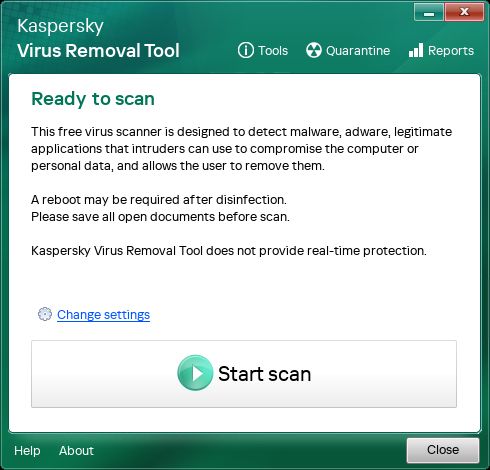
It can be used via GUI (graphical) or console (command line) which is convenient for system administrators.
It is not a real-time protection tool: it won’t continuously monitor our system for threats. It is a one-time or on-demand scanner.
Because it’s signature-based (using known malware databases), it can only reliably detect threats that are already known and included in the database. It’s weaker against brand-new, unknown, or heavily modified threats.
If we run it as a regular user (not root), it won’t have permissions to scan all directories and partitions.
We should run as root for maximum coverage.
------------------------------------
Users reported issues like deletion of files without prompt, or poor configuration options. So it might not yet be polished for all environments.
As with any closed-source or proprietary tools, we should use with caution and have backups.
'Use the tool at our own risk.'
------------------------------------
Many people assume Linux is safe by default and less likely to get malware compared to Windows.
But there are real threats in the wild for Linux.
Having an additional scanning tool means we get an extra layer of defence (especially for servers or systems that handle files from various sources) even if we already use other protections.
For administrators or users of Linux systems, this gives another option — especially when dealing with endpoints, file servers, or mixed-OS environments.
If we are using Linux (especially in a professional or mixed-OS environment), it might be worth testing this tool under controlled conditions (e.g., non-critical system) to see how it behaves in our environment (how it handles scans, deletions, quarantines, system load etc).
We need to have backups before scanning.
Users point out, the tool might delete or quarantine files we didn’t expect.
We need to use this as complementary to other security measures (firewalling, containerisation, regular updates, intrusion detection, good permissions practices) and not as a sole security solution.
Since it only works on 64-bit Linux systems and needs internet access, we need to check compatibility with our deployment.
If we actually care about open-source/security auditing then we may want to review whether the tool’s transparency and trust-worthiness meet our standards.
Enjoy #linux
Well, that was exciting. See you in the next one!