
HexOS is an operating system specifically for network-attached storage (NAS).
It’s built on top of TrueNAS SCALE, which is a powerful, open-source storage OS.
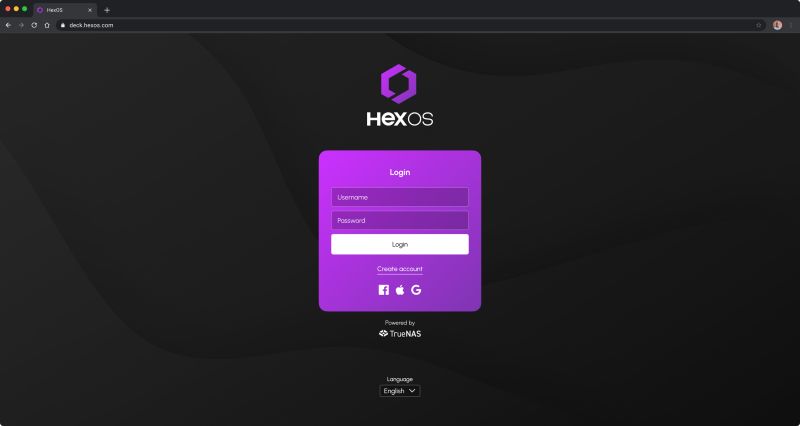
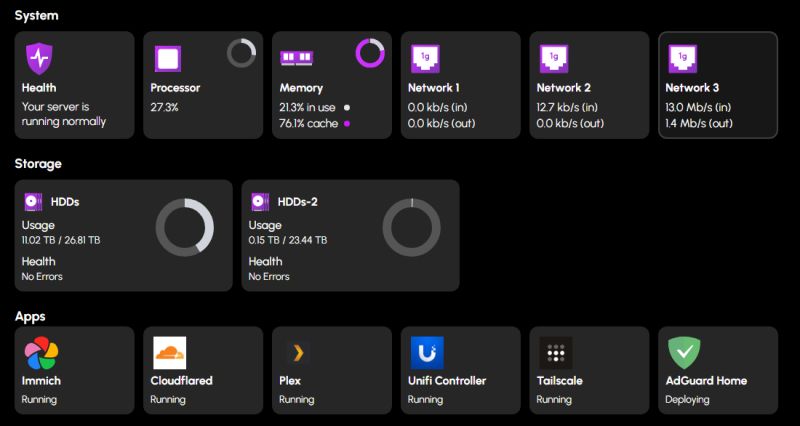
Essentially, HexOS adds a more user-friendly, simplified interface ("Command Deck") on top of TrueNAS.
One of the biggest goals is to make building and managing a NAS more accessible for people without deep IT or storage-system knowledge.
Concepts like RAID, file systems, or “parity” are abstracted away so users don’t need to configure everything manually.
There’s a guided setup: we install HexOS, it detects hardware, walks us through making storage pools, users, apps, etc.
Because it’s built on TrueNAS, we get access to all its power and features.
Importantly, if we want more control later, we can drop into the TrueNAS interface / UI and do more advanced stuff.
So it's not “simplified but weak” — it's more like “friendly front for a strong backend.”
HexOS has a cloud dashboard, meaning we can manage our NAS remotely.
It supports notifications via email and SMS about system status, which is handy for monitoring.
More advanced or custom apps (e.g. certain Docker containers) are possible, but we have to configure them via the underlying TrueNAS.
Some important features are still “to come”: snapshotting / replication, more advanced storage pool customization, VM (virtual machine) support.
There are minimum hardware requirements: x86 CPU (no ARM), at least 8 GB RAM, and a 16 GB boot SSD recommended.
Since the underlying file system is ZFS (via TrueNAS), we get strong data integrity.
But until more features are added (like replication / “buddy backup”), we likely need to plan our own backup strategy.
Great for someone who has some hardware (old PC, spare server) and wants a simple NAS but doesn’t want to deal with all the complexity of TrueNAS.
Because HexOS hides a lot of the complexity behind a clean UI and guided workflows, it lowers the barrier for people who want to run their own NAS.
We don’t need expensive proprietary NAS hardware — we can use our own or repurposed stuff.
And I love to reuse my older retro computing tech.
Many people who read my posts know I am a retro computing tech maniac.
This is how I got into Linux.
And because it’s built on a proven system (TrueNAS), we don’t lose out on reliability or advanced features completely.
Very promising for newcomers to self-hosting or DIY NAS. HexOS could make a big difference in usability.
And I love and fully support self-hosting!
🐧
HexOS - Technical overview
* Requires x86 CPU (Intel or AMD). No ARM support.
* Minimum: 2-core 64-bit CPU, 8 GB RAM, and a 16 GB SSD (for boot).
* For storage pools: recommended minimum is 2 drives now, but for expandable pools they recommend 3+.
* Boot device (SSD) must be separate from storage pool drives.
In the Q2 2025 update, HexOS added more control over how storage pools are created, letting users override the recommended layout or skip it.
They reworked the notification and alert UI. Now there’s an Activity Center showing system alerts, tasks, etc.
We can now choose where app folders (config, logs, media) go.
Theme preferences, language, dashboard visibility settings added.
Users can write or tweak install scripts for apps (Custom Script feature).
Folder encryption option (experimental), plus quotas, and support for Time Machine backup.
HexOS is running on a newer TrueNAS SCALE version (24.10.2.2 per Q2 update) so some SCALE-level improvements get carried over.
App ecosystem still limited compared to mature NAS OS; custom and community scripts help, but curated list is growing.
Cloud-dependence is a concern!
Because the UI is remote, if there are issues with internet or HexOS’s servers, management could be problematic.
Regarding updates, some users warn against manually updating TrueNAS underneath. It is better to rely on HexOS’s update path once mature.
HexOS has matured since earlier betas. With the recent Q2 and Q3 2025 updates, it's becoming more flexible and useful for real-world NAS use, not just testing.
The hardware requirements are not extreme, but we do need a decent machine (8 GB RAM, x86, SSD for boot).
Back up critical data elsewhere (or use another system) until features like snapshots + replication are stable!
Enjoy #linux 🐧
Well, that was exciting. See you in the next one!